


Page 13 - Cape-Camera-June-2023
P. 13
June 2023                                                                                                                                                                             Cape Camera

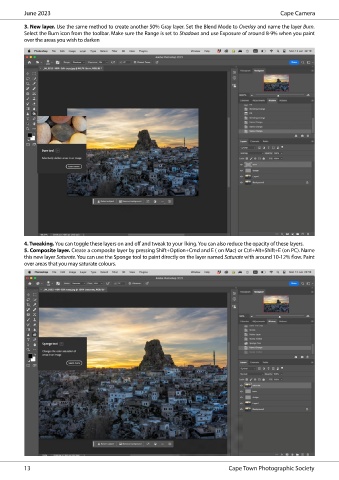
          3. New layer. Use the same method to create another 50% Gray layer. Set the Blend Mode to Overlay and name the layer Burn.
          Select the Burn icon from the toolbar. Make sure the Range is set to Shadows and use Exposure of around 8-9% when you paint
          over the areas you wish to darken


          4. Tweaking. You can toggle these layers on and off and tweak to your liking. You can also reduce the opacity of these layers.
          5. Composite layer. Create a composite layer by pressing Shift+Option+Cmd and E ( on Mac) or Ctrl+Alt+Shift+E (on PC). Name
          this new layer Saturate. You can use the Sponge tool to paint directly on the layer named Saturate with around 10-12% flow. Paint
          over areas that you may saturate colours.


          13                                                                     Cape Town Photographic Society

